starlycode-docs
StarlyCode Studio Documentation
Welcome to the official documentation of StarlyCode Studio, the modern and lightweight code editor developed by Starlyware for web languages on Microsoft Windows.
Designed for simplicity and speed, StarlyCode is ideal for developers working with HTML, CSS, JavaScript, PHP, SQL, and XML.
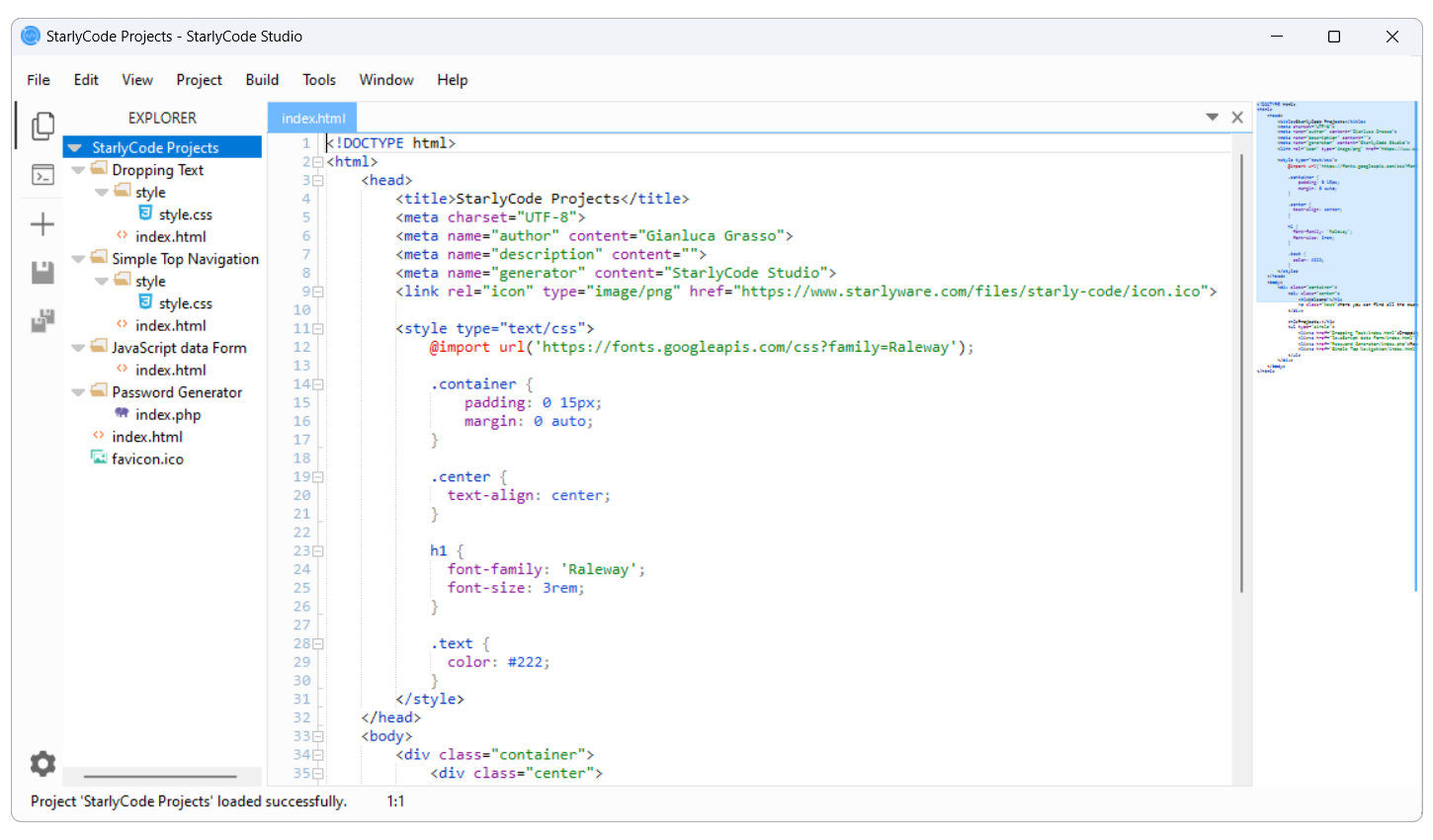
Table of Contents
- What is StarlyCode Studio
- Main Features
- Supported Languages
- Installation on Windows
- Getting Started
- Keyboard Shortcuts
- Sample Projects
- Documentation Versions
- License
- Contact
Information
StarlyCode Studio (often called StarlyCode) is a Windows code editor designed for web developers. It combines syntax highlighting, autocomplete, multi-file management, and tools to boost productivity.
- Initial release date: September 12, 2023
- Latest version: 1.0.6 (November 19, 2024)
- Developer: Starlyware, founded by Gianluca Grasso
- Operating system: Microsoft Windows
- Technologies used: C#, Visual Basic .NET
- Available languages: Italian, English
- Official website: starlycode.starlyware.com
Main Features
- Syntax highlighting for popular web languages
- Code folding and intuitive navigation
- Find and replace with regular expressions
- Tabbed interface to manage multiple files
- Snippets and smart autocomplete
- Guided project creation with solution files
Supported Languages
As of version 1.0.6, StarlyCode Studio supports:
- HTML
- CSS
- JavaScript
- PHP
- SQL
- XML
Installation on Windows
You can install StarlyCode Studio in two ways:
-
Microsoft Store 👉 Download StarlyCode Studio from the Microsoft Store
-
Official website 👉 Download from the official website
Getting Started
After installation:
- Launch the application from the Start menu.
- Create a new project (
File → New Project) or open an existing one (File → Open → Project...). - Start coding: syntax highlighting, snippets, and autocomplete will already be enabled.
👉 Coming soon: User Guide
Keyboard Shortcuts
| Action | Shortcut |
|---|---|
| New Project | Ctrl + N |
| New File | Ctrl + Shift + N |
| Open Project | Ctrl + O |
| Save File | Ctrl + S |
| Save All | Ctrl + Shift + S |
| Go to… | Ctrl + G |
| Find | Ctrl + F |
| Replace | Ctrl + H |
| Run/Preview HTML | F5 |
| Enable/Disable Server | Ctrl + W |
| Enable/Disable AutoSave | Ctrl + Alt + S |
Sample Projects
Want to see StarlyCode in action? We provide sample web projects to demonstrate structure, best practices, and usage of the editor.
👉 Official StarlyCode Projects Repository
Documentation Versions
License
StarlyCode Studio is distributed under a proprietary license. © Starlyware – All rights reserved.
Contact
📧 Email: apps@starlyware.com
🌐 Website: starlyware.com